










- Your cart is empty Our Products

Most WordPress page builder debates come down to two names. Elementor vs WPBakery is the choice many site owners face when they buy a theme, inherit an older website, or plan a redesign. Both let you build pages visually without code, but they store content differently, follow different business models, and age differently over time.
This guide compares Elementor vs WPBakery on the points that matter in practice: editing experience, content portability, performance, cost model, and long-term maintenance. It ends with a step-by-step plan for moving a WPBakery site to Elementor if you decide to switch. If you are still picking a theme, our guide on how to choose a WordPress theme covers the bigger picture.
Table of Contents31 sections
- Elementor vs WPBakery: Quick Comparison
- What Elementor and WPBakery Are
- Elementor vs WPBakery: Head-to-Head
- Which One Should You Choose?
- Elementor vs WPBakery in Real-World Scenarios
- CaseThemes Themes for Each Builder
- How to Move a WPBakery Site to Elementor
- Common Mistakes in the Elementor vs WPBakery Switch
- Frequently Asked Questions
- Final Thoughts
Elementor vs WPBakery: Quick Comparison
| Factor | Elementor | WPBakery |
|---|---|---|
| Free version | Yes, on WordPress.org; Pro adds advanced features | No free version; premium plugin, often bundled with themes |
| Editing style | Live front-end editor with a side panel | Front-end editor plus a backend (wireframe) editor |
| How layouts are stored | Layout data saved separately from the post content | Shortcodes such as [[vc_row]] inside the post content |
| Header and footer building | Theme Builder in Pro, or the theme’s own builder | Depends on the theme |
| Best for | New sites and teams that want a modern workflow | Existing WPBakery sites and teams that know it well |
In short, Elementor is the stronger default for new projects, while WPBakery remains a reasonable choice for stable sites that already run on it.
What Elementor and WPBakery Are
Elementor
Elementor is a drag-and-drop website builder with a free core plugin on WordPress.org. According to its WordPress.org plugin page, it has more than 10 million active installations. Elementor Pro adds features such as the Theme Builder for headers and footers, the Popup Builder, Forms, the WooCommerce Builder, and dynamic content.
WPBakery Page Builder
WPBakery Page Builder, formerly known as Visual Composer, is a premium drag-and-drop builder with ready-made content elements, templates, and responsive controls. Its official knowledge base explains that you can build layouts in either a frontend or a backend editor. Many themes bundle WPBakery, which is why so many older business sites still use it.
Elementor vs WPBakery: Head-to-Head
Editing experience
The first thing most people notice in Elementor vs WPBakery is the editor. Elementor edits the live page: you click an element, change it in the side panel, and see the result instantly. WPBakery offers a similar frontend editor, but many long-time users prefer its backend editor, which shows the page as a wireframe of rows, columns, and elements. If your team is used to that wireframe view, it can feel faster for structural edits. For visual fine-tuning, most people find Elementor more direct.
Content portability and lock-in
This is the biggest practical difference in the Elementor vs WPBakery decision. WPBakery saves layouts as shortcodes inside your post content. If you deactivate the plugin, those shortcodes stay in place and appear as raw text such as [[vc_row]] and [[vc_column_text]] on the front end. Cleaning them up across a large site takes real work.
Elementor stores its layout data separately from the main post content. Turning it off still removes your design, so neither builder is lock-in free, but you do not end up with pages full of visible shortcodes.
Design flexibility
Elementor offers detailed controls for spacing, typography, motion effects, and responsive settings per device, and modern Elementor layouts use flexbox containers. WPBakery covers the essentials well, and themes often extend it with their own elements. For pixel-level control and newer layout techniques, Elementor usually has the edge. Our article on Gutenberg containers vs Elementor flexbox goes deeper into modern layout options.
Performance
In Elementor vs WPBakery performance tests, neither builder is automatically fast or slow. Speed depends far more on your hosting, images, number of plugins, and how heavily each page is designed. With either builder, keep sections lean, avoid stacking many sliders and animations, and test your pages with real-user metrics. If you choose Elementor, our guide to optimizing Elementor themes for Core Web Vitals lists practical fixes.
A practical test is to build the same simple page in both builders on a staging site, then compare page weight, the number of requests, and real-device loading times. Repeat the test with your actual theme and plugins, since a clean test site rarely reflects production. Whatever you measure, image optimization, caching, and good hosting usually make a bigger difference than switching builders, so fix those first before blaming the page builder for slow pages.
Cost model and licensing
On cost, Elementor vs WPBakery is a contrast in business models. Elementor has a free version that is enough for many simple sites, with paid Pro plans for advanced features. WPBakery has no free version. When it comes bundled with a theme, the theme developer typically delivers plugin updates through the theme, so check how your theme handles them before you rely on the bundled copy.
Ecosystem and support
For ecosystem, Elementor vs WPBakery is not close. Elementor has a large ecosystem of add-ons, templates, and tutorials, which makes it easier to hire help or find answers. WPBakery has a smaller but mature ecosystem, and its long history means many developers still know it well.
Which One Should You Choose?
The right answer in the Elementor vs WPBakery choice depends on where you are starting from.
- Building a new site: choose Elementor. Its free version, active ecosystem, and modern layout tools make it the safer long-term bet.
- Running a stable WPBakery site: you do not have to switch today. If the site works, loads well, and your team can edit it, keep it and plan a rebuild for your next redesign.
- Struggling with an old WPBakery site: if edits are slow, the design feels dated, or you want features your theme lacks, a move to Elementor is usually worth it.
- Agencies handling many sites: standardizing on one builder saves training and maintenance time. For most agencies, that is Elementor.
If you are still unsure, answer these quick questions:
- Is the site new? If yes, start with Elementor.
- Does your current WPBakery site work well? If yes, keep it for now and plan a rebuild with your next redesign.
- Do you need custom headers, footers, or product templates? Elementor Pro’s Theme Builder and WooCommerce Builder make this easier, unless your theme already provides its own builder.
- Who will edit the site day to day? Choose the builder that person already knows, or the one with the most learning resources, which is usually Elementor.
- How many pages use the builder? Count them before you decide on a migration budget.
Elementor vs WPBakery in Real-World Scenarios
General comparisons only go so far. These common situations show how the Elementor vs WPBakery choice plays out in practice.
A small business launching its first site
A local consultancy or service company usually needs five to ten pages, a contact form, and a blog. Elementor’s free version, combined with an Elementor-ready theme, covers that well, and the large tutorial ecosystem makes it easier for the owner to edit pages without calling a developer every time. Unless the owner already knows WPBakery, there is little reason to start a brand-new site on it today.
An agency maintaining older client sites
Many agencies look after sites built years ago on WPBakery themes. Rebuilding every one at once is rarely realistic. A sensible approach is to keep stable WPBakery sites updated, document how each one is built, and offer a rebuild in Elementor when a client asks for a redesign or a major new section. Over time, the agency moves toward a single builder without forcing unplanned costs on clients.
A content-heavy site with hundreds of posts
On blogs and news sites, most posts are written in the standard WordPress editor, and the page builder is only used for the homepage, landing pages, and archives. In that case, the Elementor vs WPBakery decision affects fewer pages than you might expect. Before switching, search your posts for WPBakery shortcodes to see how many actually depend on it; the answer often makes the migration much smaller.
An online store on WooCommerce
Both builders can design pages around a WooCommerce shop, but Elementor Pro’s WooCommerce Builder lets you design product and archive templates visually. If your store needs custom product layouts, that is a strong argument for Elementor. If the shop uses the theme’s default templates and you only edit a few landing pages, either builder will do.
CaseThemes Themes for Each Builder
Whichever side of Elementor vs WPBakery you land on, CaseThemes offers themes for both builders, so you can match your theme to the workflow your team prefers.
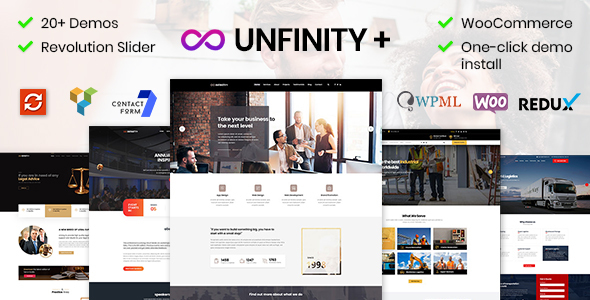
Unfinity: a popular WPBakery choice (1,712 sales)

Unfinity is a one-page, multipurpose theme built with WPBakery Page Builder. It includes 20+ homepages for business, consulting, agency, IT, event, lawyer, app, and startup sites, which makes it a good example of how far a WPBakery theme can go.
Lawsight: WPBakery for law firms (1,083 sales)

Lawsight is a clean, modern law firm theme built with WPBakery. It includes 4+ homepages for law firms, attorneys, legal offices, and related businesses.
If you prefer Elementor, most newer CaseThemes designs are built on it, including Mouno and Saira.
How to Move a WPBakery Site to Elementor
If you decide to switch, plan the move as a rebuild, not a one-click conversion. There is no reliable automatic converter between the two formats, so each page needs to be rebuilt in Elementor.
Step 1: Back up the full site
Create a complete backup of your files and database, and confirm you can restore it. Do this before you change any plugin.
Step 2: Work on a staging copy
Copy the site to a staging environment so visitors never see a half-rebuilt page. Many hosts offer one-click staging.
Step 3: Inventory your pages
List every page and post that uses WPBakery, along with its URL, title, meta description, and main purpose. Rank them by traffic so the most important pages are rebuilt first.
Step 4: Choose an Elementor-ready theme
Use a theme built for Elementor so headers, footers, and global styles work with the new builder. Rebuild the header and footer first; every page depends on them.
Step 5: Rebuild pages in Elementor
Recreate each page section by section. Keep the same URLs, headings, and key copy so you do not lose search rankings. Use global colors and fonts to keep the design consistent.
Step 6: Remove leftover shortcodes
Search your posts for stray WPBakery shortcodes such as [[vc_row]] and clean them up before you deactivate the plugin. Check blog posts too, since older posts often contain WPBakery elements.
Step 7: Test, then launch
Test every page on desktop and mobile, check forms, and compare page speed before and after. Once everything works, push the staging site live and keep the backup for a few weeks.
If you would rather not do this yourself, our Convert WPBakery Site to Elementor service adds Elementor compatibility, rebuilds your headers, footers, pages, and posts with Elementor, and removes the WPBakery shortcodes.
Common Mistakes in the Elementor vs WPBakery Switch
Most problems during a builder change come from rushing. Avoid these common mistakes:
- Deactivating WPBakery too early. Turn it off only after every page has been rebuilt and checked, or visitors will see raw shortcodes.
- Changing URLs during the rebuild. Keep existing slugs. If a URL must change, add a 301 redirect from the old address.
- Forgetting SEO settings. Copy titles, meta descriptions, and image alt text to the rebuilt pages so rankings are not affected.
- Rebuilding the old design pixel for pixel. A move from WPBakery to Elementor is a good moment to simplify layouts and remove sections nobody reads.
- Skipping mobile checks. Elementor lets you adjust each breakpoint, so review every rebuilt page on a phone before launch.
Frequently Asked Questions
Is Elementor better than WPBakery?
For most new websites, yes. Elementor has a free version, a larger ecosystem, and more modern design controls. WPBakery is still a solid choice for existing sites that already run well on it.
Is WPBakery free?
No. WPBakery Page Builder is a premium plugin. Many themes include it as a bundled plugin, but there is no free version on WordPress.org.
What happens if I deactivate WPBakery?
Your pages will show raw shortcodes such as [[vc_row]] where the layout used to be. Rebuild or clean those pages before you deactivate the plugin.
Can I convert WPBakery pages to Elementor automatically?
Not reliably. The two builders store layouts in different formats, so pages need to be rebuilt in Elementor. Our customization team can handle the work for you.
Which is faster, Elementor or WPBakery?
In the Elementor vs WPBakery speed debate, hosting, images, and page design matter more than the builder itself. A lean page in either builder can load quickly.
Can I use Elementor and WPBakery on the same site?
Technically you can run both, but it adds weight and confusion. Use one builder per site, and only run both during a planned migration.
Will switching from WPBakery to Elementor hurt my SEO?
Not if you plan it carefully. Keep the same URLs, headings, titles, and meta descriptions, and check page speed after the rebuild. Rankings depend on content and user experience, not on which builder created the layout.
Do CaseThemes themes support both builders?
Each theme is built for one builder, so the Elementor vs WPBakery choice comes first. Unfinity and Lawsight use WPBakery, while most newer CaseThemes designs, such as Mouno and Saira, are built with Elementor. The builder is listed on every product page.
Final Thoughts
The Elementor vs WPBakery decision is less about which tool is “best” and more about where your site is today. Choose Elementor for new projects and long-term flexibility; for most new sites, that settles Elementor vs WPBakery. Keep WPBakery if your site is stable and your team edits it comfortably, and plan a rebuild when your next redesign comes around.
Whatever you decide in the Elementor vs WPBakery comparison, test it on a staging copy first. When you are ready to switch, follow the steps above or let our team handle the move so you can keep your rankings and your design intact. For more background beyond Elementor vs WPBakery, read our comparison of block themes vs classic themes.